The 2026 Sales Crisis: Why "Chat" Isn't Enough
It's 2026, and if your sales team is still "prompting" a chatbot to write emails, they are already behind. The novelty of generative AI has worn off. The market is saturated with mediocre, AI-written LinkedIn outreach that everyone has learned to ignore.
The problem isn't the AI's ability to write; it's the AI's inability to act.
Traditional chatbots are "session-locked." They live in a browser tab. They don't know that a lead just downloaded a whitepaper at 3 AM unless you tell them. They certainly can't go into Salesforce, update the "Lead Score," check the Account Executive's calendar, and book a discovery call autonomously.
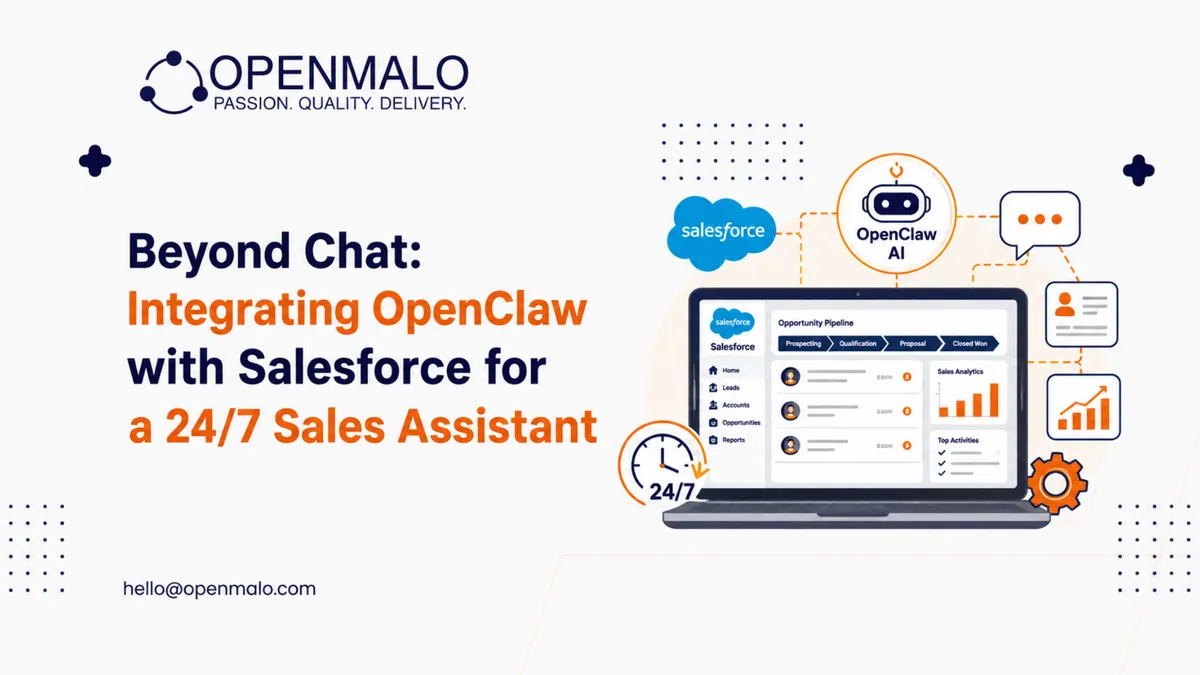
This is where OpenClaw changes the game. By integrating OpenClaw with Salesforce, you move from a "Chatbot" to an "Agentic Sales Assistant." This isn't a tool you talk to; it's a digital employee that lives inside your CRM, working 24/7 while your human team sleeps.
What is OpenClaw? The Open-Source Powerhouse
For those who missed the 2025 surge, OpenClaw (formerly Moltbot) is an MIT-licensed, open-source AI agent framework. Unlike closed systems like ChatGPT or Claude, OpenClaw runs on your infrastructure—either locally on a laptop or on a secure VPS.
It operates on a Heartbeat system. Every few minutes, it wakes up, checks its "To-Do" list (stored in Markdown), looks at its connected apps (WhatsApp, Slack, Salesforce), and decides if it needs to take action. It's model-agnostic, meaning you can plug in GPT-5 for high-level reasoning or a local Llama 4 for cost-effective, private data processing.
The Integration: Bridging OpenClaw and Salesforce
Integrating a local-first agent with a cloud-giant like Salesforce sounds daunting, but in 2026, the tools have matured. The integration relies on three main components:
1. The OAuth 2.0 Handshake
You don't give OpenClaw your Salesforce password. You create a Connected App in Salesforce, granting OpenClaw specific permissions (Scopes) to read leads and write tasks.
2. The AgentSkills Layer
OpenClaw uses "Skills"—modular YAML files that define how it interacts with APIs. A "Salesforce-Prospector" skill tells the agent: "If a lead has a score over 80 and no follow-up in 24 hours, draft a personalized email and log a Task in Salesforce."
3. The Messaging Gateway
This is the "face" of your assistant. You don't log into a dashboard; you talk to your assistant via Slack or WhatsApp. If it needs a human's "Thumbs up" before sending a $50k proposal, it pings you on Signal. You reply "Yes," and it executes the Salesforce workflow.
Technology Breakdown: The "Engine" Under the Hood
Let's strip away the corporate fluff. How does this actually work for a non-tech leader?
- The Brain (LLM): This is the reasoning engine. It understands the "intent" of a customer's email.
- The Memory (Persistent Storage): OpenClaw stores context in Markdown files. It "remembers" that a prospect mentioned their budget was tight in a conversation three months ago.
- The Hands (Salesforce REST API): This is how OpenClaw "touches" your CRM. It uses standard API calls to create, update, or delete records.
- The Pulse (Heartbeat): This allows the agent to be proactive. Instead of waiting for you to ask "What happened today?", it scans Salesforce for changes and reports them to you.
Sector-Specific Use Cases
For Founders
You are the SDR, the AE, and the CEO. You don't have time to update CRM fields.
- The Use Case: OpenClaw monitors your inbox. When a "Thank you" email arrives after a demo, it automatically moves the Salesforce Opportunity to "Negotiation," sets a reminder for 3 days later, and drafts a follow-up.
For Developers
- The Use Case: Use OpenClaw to bridge Salesforce with your GitHub or Jira. When a "Bug" is closed in Jira, OpenClaw finds the related "Support Case" in Salesforce and notifies the Account Manager via Slack that the fix is live.
For HR Professionals
- The Use Case: Recruitment is sales. OpenClaw scans LinkedIn (via browser automation), finds candidates matching a job desc, checks if they exist in your internal Salesforce "Talent Cloud," and sends a first-touch message.
For Enterprise Buyers
The Big Tech "AI Tax" is real.
- The Use Case: Instead of paying $50/user/month for native AI credits that expire, your enterprise hosts OpenClaw on a private cloud. You pay only for the raw compute and tokens you use, saving 60% on annual AI spend.
For Students
- The Use Case: Learning Salesforce administration? Use OpenClaw as a "Coach." Ask it: "How do I build a flow for lead assignment?" It doesn't just tell you; it uses browser automation to show you in your sandbox environment.
The Brutal ROI: Cost Savings vs. Value Gains
I won't sugarcoat it: Salesforce's native AI is excellent, but it's built for Salesforce's bottom line, not yours.
The OpenClaw Advantage:
- Zero Per-User Fees: Once the integration is built, you can scale from 10 to 1,000 users without the licensing cost exploding.
- Latency Reduction: Native AI often takes seconds to "reason." Local-first agents with optimized models can trigger Salesforce actions in milliseconds.
- Data Ownership: Your sales strategies—the "secret sauce" of how you close deals—stay in your Markdown files, not in a model-training pool for a cloud provider.
The Math: If a human SDR costs $60k/year and handles 50 leads/day, an OpenClaw assistant costs ~$2k/year (hosting + API) and handles 5,000 leads/day. That is a 2,500% efficiency gain.
Risk Management: Security in an Open-Source World
Open source is powerful, but it's not a "set and forget" solution. Giving an autonomous agent access to your Salesforce instance is high-risk.
- Credential Exposure: Never hardcode Salesforce Client Secrets. Use environment variables or a secure vault (like HashiCorp).
- Hallucination Risks: An AI might "hallucinate" that a lead said "Yes" when they said "Maybe."
- The Fix: Use "Human-in-the-loop" (HITL) triggers for any action that involves spending money or sending external emails.
- Audit Trails: Because OpenClaw stores actions in Markdown, you have a perfect, grep-able log of exactly what the AI did, when it did it, and why.
The Future: Toward the "Agentic" CRM
By 2028, the "CRM Interface" as we know it will be dead. Sales reps won't "log into Salesforce." They will live in Slack, WhatsApp, or Vision Pro, and the CRM will be a silent backend managed by agents like OpenClaw.
We are moving from "Data Entry" to "Outcome Management." Your job won't be to move a lead from stage A to stage B; your job will be to manage the team of agents that does it for you.
Move From Idea to Scalable Product
Building a 24/7 sales assistant isn't just a coding task; it's a strategic shift. At Openmalo Technologies, we don't just "install" AI—we architect systems that drive revenue. We bridge the gap between the chaotic world of open-source innovation and the rigid requirements of enterprise CRM.
Here's how we help businesses move from idea to scalable product. Contact Openmalo Technologies for:
- Custom Salesforce & CRM Solutions
- OpenClaw & GPT Integration Services
- SaaS & Mobile App Development
- Enterprise Cloud & UI/UX Design
Reach out to our senior strategists today and let's stop chatting and start closing.