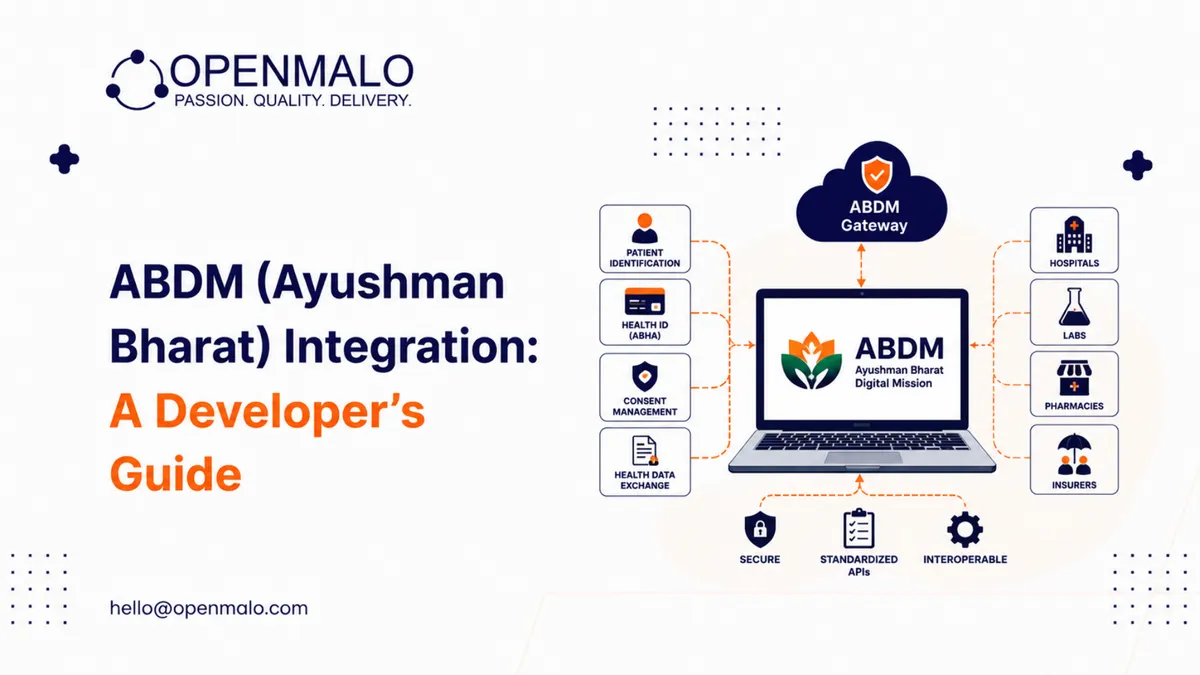
Quick answer: Integrating with India’s Ayushman Bharat Digital Mission (ABDM) is mostly an exercise in understanding which building blocks you need and in what order. Register in the NDHM Sandbox, choose your role (HIP, HIU, or both), implement ABHA patient identity flows, integrate HPR (practitioner) and HFR (facility) registries, build the consent manager state machine for HIE-CM, exchange records as FHIR R4 bundles using India-specific profiles, sign requests with JWTs, and then graduate to production credentials once your security posture is validated.
The Ayushman Bharat Digital Mission (ABDM) is the federated identity, registry, and consent infrastructure for India’s digital health system. For developers, integrating with ABDM is mostly an exercise in understanding which of its building blocks you need, in what order, and what each one expects on the wire.
In plain language: ABDM exposes a set of registry APIs (ABHA for patients, HPR for practitioners, HFR for facilities), a consent manager (the Health Information Exchange and Consent Manager, HIE-CM), and a Health Information Provider / Health Information User gateway that routes record exchanges between providers and consumers based on patient consent. You register your application in the sandbox, get a client ID and secret, implement OAuth-style flows for each registry, and gradually move toward production once your callbacks and security have been validated.
Step 1 — Get into the sandbox
Start at the NDHM Sandbox (operated by the National Health Authority). Register your organisation, pick the integrator type (Health Information Provider / Health Information User / both), and obtain sandbox credentials. The sandbox mirrors the production gateway behaviour with test data, so you can develop and run end-to-end flows without touching real patient records.
Step 2 — Decide your role
ABDM defines roles. A given platform is usually one or more of:
- HIP (Health Information Provider) — generates and shares records (e.g., a hospital EMR, a lab system)
- HIU (Health Information User) — consumes records on consent (e.g., a follow-up provider, an insurer’s reimbursement workflow)
- HFR-listed facility — your facility is registered in the Health Facility Registry
- HPR-listed practitioner — your practitioners are registered in the Healthcare Professionals Registry
Your role decides which gateway endpoints and registry calls you must implement.
Step 3 — Patient identity — ABHA flows
Implement at least one of the ABHA creation / linking flows:
- Aadhaar-based — patient enters Aadhaar number, receives OTP, ABHA is created and linked
- Mobile-based — patient enters mobile number, OTP-based ABHA creation (without Aadhaar)
- Enrolment ID-based — for offline-first creation scenarios
The ABHA number is 14 digits (typically displayed in groups). The ABHA address is a human-readable identifier ending in @abdm for HIE-CM addressing.
Store the ABHA number against the patient profile only after the patient consents to link it. Treat the ABHA address as a routing identifier for record exchange flows.
Step 4 — Practitioner registry (HPR)
If your platform onboards doctors, integrate HPR for two purposes:
- Verification — validate the practitioner’s HPR ID and registration status at onboarding
- Identity — when the practitioner generates a record, the HPR ID becomes part of the record metadata
HPR registration itself is performed by the practitioner; your platform consumes the registry to validate.
Step 5 — Facility registry (HFR)
Register your facility (or each of your client facilities) in HFR to obtain an HFR ID. Records exchanged through the gateway carry the HFR ID in the metadata. The HFR ID is the unit of trust for facility-level operations.
Step 6 — Consent flow (HIE-CM)
This is the heart of ABDM. Records flow only on consent. The pattern:
- The HIU initiates a consent request specifying the patient’s ABHA address, the type of records sought, date range, purpose, and the HIU’s identity
- The consent manager forwards the request to the patient (via the patient’s chosen consent app — including the government PHR app and certified third-party apps)
- The patient grants or denies consent
- If granted, the consent artifact is published with a unique consent ID
- The HIU presents the consent artifact to the HIP via the gateway and receives the records
Build your HIU flow to handle pending consents, denials, and timeouts. Build your HIP flow to validate consent artifacts before releasing records.
Step 7 — Records in FHIR R4
Records exchanged through the gateway are FHIR R4 bundles following the India-specific profiles. Common bundle types:
- OP Consultation — outpatient consultation record
- IP Discharge Summary — inpatient discharge
- Diagnostic Report — lab / imaging
- Prescription Record
Your HIP must produce these bundles. Your HIU must consume and display them.
Step 8 — Security and signing
The gateway uses signed JWTs and verifiable credentials for several flows. Implement:
- HTTPS everywhere; pinned certificates where required
- JWT signing per the gateway specification
- Time-bounded tokens (refresh and rotation)
- Audit logs of every gateway interaction
Step 9 — Move from sandbox to production
When your sandbox flows are stable and your security posture is documented:
- Apply for production credentials
- Pass the required compliance and security checks
- Receive production client ID and secret
- Deploy with production endpoints (different from sandbox)
- Monitor
Architecture pattern that scales
A clean ABDM integration sits behind a small internal service that abstracts the gateway protocol from the rest of your application:
- Gateway service — knows how to talk to ABDM (consent, record fetch, record publish, registry lookups)
- Record translation — converts your internal record format ↔ FHIR R4 India profiles
- Consent state machine — tracks pending / granted / revoked / expired consents per patient
- Audit service — logs every gateway interaction with timestamp, actor, payload hash
The applications that need ABDM functionality call your internal service, which handles the gateway concerns.
What goes wrong, commonly
- FHIR profile mismatches — your bundle doesn’t validate against the India-specific profile because of a missing extension
- Consent edge cases — consent revoked mid-flow; expired consent; partial consent
- Time-stamp tolerance — your server clock drifts and signed tokens reject
- HFR linkage — practitioner generates a record but the facility HFR ID isn’t linked correctly
Build tests for each, monitor for each, and run a quarterly tabletop with the gateway team for the new ones.
CTA: OpenMalo’s EHR integration module includes a production-tested ABDM gateway service with FHIR India profiles pre-built and the consent state machine ready to wire in. See the module →
Closing
ABDM is genuinely good infrastructure — federated, consent-driven, and FHIR-native — and the developer experience improves every quarter. The teams that integrate well start in the sandbox, automate their FHIR validation, and build the gateway service as a clean internal abstraction.