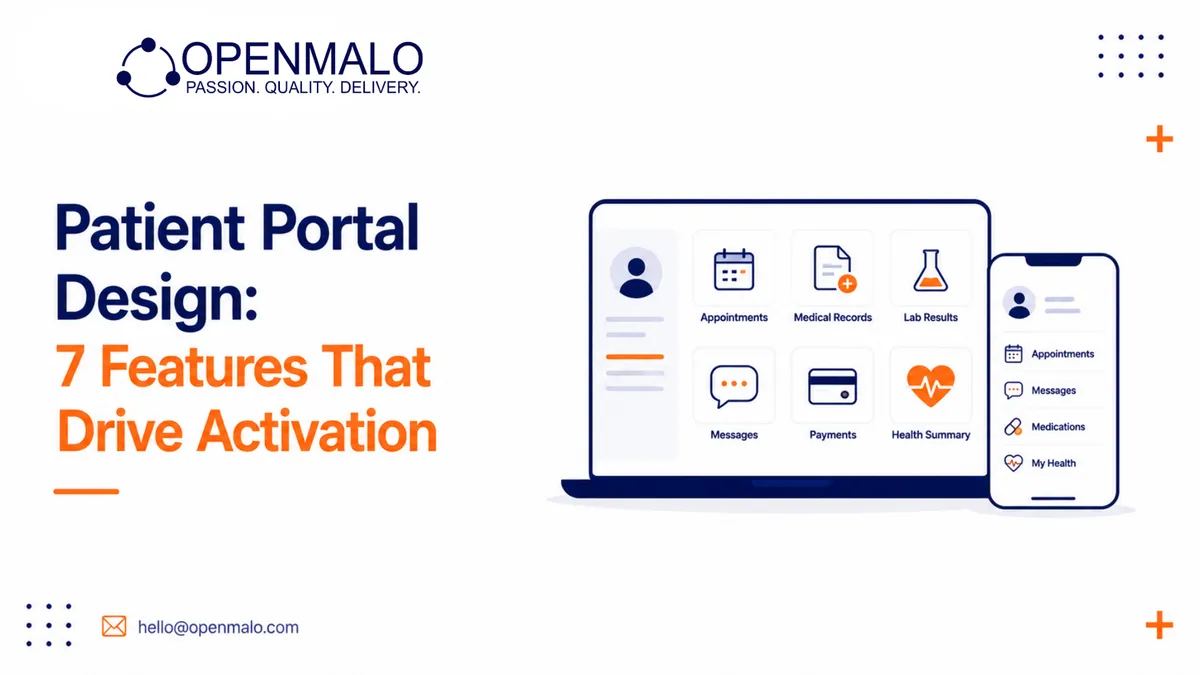
Quick answer: Patient portals win on seven features done well: real-availability appointment booking, fast lab and imaging result access, secure messaging with bounded scope and response SLAs, prescription refill requests, family member / proxy access, bill pay with insurance visibility, and mobile-first UX with notifications that link directly into the right screen. Skip the ornamental modules — wellness blogs, generic forums, gamification without evidence — and ship these seven exceptionally. That’s what moves 30-day active rates above industry average.
Most patient portals fail not because they lack features but because the features don’t match the moments that matter. A portal with twelve modules but slow page loads on a phone, no SMS reminders for new lab results, and a clunky appointment booking will lose to a portal with five features done well. Here are the seven features we’ve consistently seen drive portal activation above industry-average rates across the healthcare deployments we’ve delivered at OpenMalo.
In plain language: patient portals win on appointment booking (the most-used feature), lab and imaging result access (the most-requested), secure messaging with care team (the most-valued), prescription refill requests, family member / proxy access, bill pay and insurance display, and mobile-first UX with notification triggers. Skip ornamental modules; build these seven exceptionally well.
1. Appointment booking — self-serve, mobile-first
The patient should be able to:
- See all their providers at the practice / hospital
- Filter by speciality, language, gender, location, time-of-day
- See real availability, not “next available slot — call us”
- Book in under three taps
- Receive confirmation by SMS and email
- Cancel or reschedule with one tap up to a defined window
The activation lift comes from the real availability. A “request an appointment” form that creates a callback queue is not booking — it’s a chore. Build the real-time availability integration with your EHR scheduling, even if it’s hard.
2. Lab and imaging results — released on a sensible schedule
Patients want their results, fast. The portal should:
- Push a notification when results are available
- Display normal-range bands clearly (above / within / below)
- Allow trend view for repeated tests (lipid panel over time, HbA1c, etc.)
- Make every result downloadable as PDF
- Link to a “what does this mean” explainer where appropriate
The political question: how fast should results be released? Many providers gate results behind clinician review. The patient experience win is releasing routine results immediately and gating only the categories where clinician context is essential. Set the policy with clinical leadership.
3. Secure messaging — bounded scope, fast response SLAs
A messaging feature with no response SLA is a frustration generator. Set the model:
- Define the topics the message channel is for (appointment questions, prescription clarifications, follow-ups) and the topics it isn’t (emergencies, new clinical issues)
- Display the expected response time on the compose screen
- Route messages to the right care team member by topic
- Track and report response SLAs
Run the metrics. If the messaging volume swamps the team, the message channel is doing real work the phone used to do — staff accordingly.
4. Prescription refill requests
Tightly scoped: the patient picks a prior prescription, requests a refill, the prescriber approves or declines, the system routes to the pharmacy. Most refills are routine; surface the exceptions (controlled substances, expired prescriptions, prescriptions due for a check-in) and resolve them in-flow.
5. Family member / proxy access
Adult children managing elderly parents. Parents managing children’s care. Caregivers for patients with disabilities. The portal must support proxy access with:
- Explicit consent of the patient (or legal guardian)
- Granular controls (proxy can book appointments but cannot see mental health notes, for instance)
- Audit log of proxy access
- Easy revocation
This is the feature that wins the elderly-parent segment, which is also the highest-utilising segment.
6. Bill pay, insurance, and claims visibility
A clear, no-surprises view of:
- Outstanding balances
- Recent statements (downloadable PDF)
- Insurance on file (and the ability to update)
- Pending and resolved claims (where the platform has visibility)
- Payment plans
Build the payment flow with the same care as any e-commerce checkout. Patients abandon clunky payment flows just like shoppers.
7. Mobile-first UX, with notifications that matter
Patients open the portal in three contexts: at the appointment desk, while reading a lab result notification, and while paying a bill. Optimise for these:
- Mobile-first responsive design (or native app)
- Sub-2-second load on 4G
- Notifications via SMS + email + push for: new result, appointment reminder, prescription ready, bill due
- Notifications that link directly into the right portal screen — not a generic landing page
What we measure
The activation metrics that matter:
- Account creation rate — % of patients with a portal account
- 30-day active rate — % of accounts that completed a meaningful action in the last 30 days
- Result-view rate — % of newly released results viewed within 72 hours
- Appointment self-serve rate — % of appointments booked through the portal vs. call
Industry benchmarks vary, but the deployments we’ve delivered consistently hit higher 30-day active rates than the practices they replaced — driven mostly by the appointment + result + messaging triad.
What to skip
Vanity modules that consume engineering and rarely get used:
- Wellness blogs inside the portal
- Generic forum / community features
- Gamification of healthy behaviour without clinical evidence
- “Health goals” sliders without integrated tracking
Ship the seven features above. Add nothing else until the seven are excellent.
CTA: OpenMalo’s patient portal module ships with all seven features pre-built and configurable, plus the EHR integrations they depend on. See the module →
Closing
Patient portal success is a focus problem, not a feature-count problem. The portals that activate well are the ones whose teams resisted the pressure to ship every requested module and instead built the seven moments that matter into excellent ones.