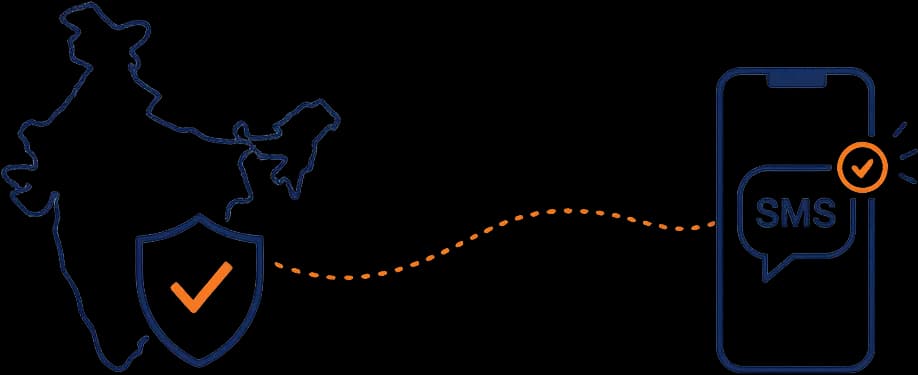
Quick answer: Under TRAI’s DLT (Distributed Ledger Technology) framework, every business sending commercial SMS in India must register as a principal entity with an operator DLT portal (Jio, Airtel, Vi, BSNL), register their sender ID (6-character alphabetic header), and register every message template they intend to send — categorised as transactional, service implicit, service explicit, or promotional. End-to-end first-time setup typically takes two to four weeks.
If you send commercial SMS in India, you live under TRAI’s Telecom Commercial Communications Customer Preference Regulations 2018 — operationalised through the Distributed Ledger Technology (DLT) registration framework run on top of each major telecom operator’s blockchain. The framework is non-trivial to set up the first time, opaque about edge cases, and unforgiving of mistakes. This guide walks through what every step actually entails.
In plain language: under TRAI’s DLT framework, every business that sends commercial SMS in India must register as a principal entity with one of the operator DLT portals, register the SMS sender ID (header) they will use, and register every message template they intend to send. Each registration must be verified; templates are categorised by purpose (transactional, service, promotional); and only registered combinations of entity + header + template can be sent.
Why DLT exists
The framework was introduced to combat spam and unsolicited commercial communication that plagued Indian mobile users for years. Before DLT, the Do Not Disturb (DND) registry was the only consumer protection — and it was widely ignored. DLT moves enforcement into the network: messages that aren’t from a registered template through a registered header to a consenting recipient simply don’t get delivered.
It works. The volume of unsolicited SMS in India has dropped sharply post-DLT, and the framework is being studied as a model in other geographies.
Step 1 — Pick your operator DLT portal
DLT is operationalised by each major telecom operator. The leading portals:
- Jio — Trueconnect (Jio’s DLT platform)
- Airtel — Airtel DLT
- Vi (Vodafone Idea) — Vi DLT
- BSNL — BSNL DLT
You typically register with one of these (often Jio or Airtel given subscriber base) and the registration is recognised across the others via the inter-operator framework. Pick based on which platform your SMS vendor recommends and which UX is least painful.
Step 2 — Entity registration
Register your business as a principal entity. You’ll need:
- Company PAN
- GST registration
- Authorised signatory KYC
- Authorisation letter on company letterhead
- Bank account details
- Registered office address proof
The entity registration produces a Principal Entity ID that becomes your reference across the DLT ecosystem.
Cost: a one-time registration fee per operator (typically a few thousand rupees, varies by operator).
Timeline: typically days to a couple of weeks depending on document quality and operator backlog.
Step 3 — Header (sender ID) registration
Headers are the alphanumeric sender IDs your messages display as (e.g., OPNMLO, MYBANK). They must be:
- 6 characters
- Alphabetic only
- Linked to your registered entity
- Categorised — transactional, service implicit, service explicit, or promotional
Different message types must use different headers — you cannot send a promotional SMS from a transactional header. Plan your header inventory accordingly.
Cost: a per-header registration fee (typically small).
Timeline: typically a few days for header approval.
Step 4 — Template registration — the time sink
Every distinct message you plan to send must be registered as a template. Templates support variables (denoted as {#var#} placeholders) for personalised values like name, OTP, amount, date.
For each template you specify:
- The header it will be sent from
- The category (transactional / service implicit / service explicit / promotional)
- The full message text with
{#var#}placeholders - The intended use case description
- The consent type (where applicable)
Common templates a typical business needs:
- OTP delivery
- Order confirmation
- Shipping update
- Appointment reminder
- Payment confirmation
- Password reset
- Service notifications
- Promotional offers (if any)
Each template requires individual approval. Approval times vary by operator and template clarity.
Step 5 — Categorisation — the critical decision
Template categorisation determines:
- Which header is permitted
- Whether DND-registered users receive the message
- The consent regime that applies
- The pricing per message
Categories (simplified):
- Transactional — service-essential messages triggered by user action (OTP, order confirmation); bypasses DND for the originating account
- Service Implicit — service messages with implicit consent (account updates)
- Service Explicit — service messages requiring explicit consent
- Promotional — marketing messages requiring explicit opt-in; honours DND
Mis-categorising a promotional template as transactional is the single most common DLT mistake. It can be caught, the template rejected, and (with repeat offences) the entity flagged.
Step 6 — Variable rules — the gotcha
Variables must match the data passed. Common rejection reasons:
- Variable position changed between approval and send
- Variable type doesn’t match (sending text where number expected)
- Adding text outside the approved template content
- Using a template approved for one category to send a different type of message
The variable substitution must produce a message that is functionally identical to the approved template — only the variable values change.
Step 7 — Vendor integration
You almost certainly send SMS through an aggregator (Twilio, Kaleyra, Gupshup, MSG91, Plivo, and many others). The integration:
- Pass your entity ID, header, and template ID with each send
- The aggregator validates against the DLT registry
- Rejections come back with a reason code
Build error handling for the common reject reasons; route them to a queue your ops team reviews.
Step 8 — Consent management
For promotional messages (and explicit service messages), you must maintain proof of opt-in:
- Timestamp of consent
- Channel through which consent was obtained
- Specific consent text the user agreed to
- Easy revocation path
Suppress numbers that revoke consent immediately. Audits look for this trail.
What goes wrong
- Template-text-doesn’t-match. Aggregator rejects because the rendered text isn’t identical to the approved template.
- Wrong category. Sending a promotional pattern from a transactional template; gets flagged.
- Header reuse. Using a transactional header for a promotional send.
- Consent gap. Promotional messages to users without explicit consent.
- DND ignores. Sending promotional messages to DND-registered numbers without explicit consent.
Each carries enforcement risk — financial penalties, header suspension, or (in serious cases) entity suspension.
CTA: OpenMalo’s email campaigns module includes Indian SMS workflows with DLT entity / header / template management built in — fewer rejections, cleaner audit trail. See the module →
Closing
DLT registration is a one-time setup pain that pays back as a sustained operational asset. Set it up correctly, categorise templates accurately, manage consent rigorously, and your SMS deliverability becomes one of the boring assets that quietly compounds value. Cut corners and you lose deliverability — or worse, your entity.