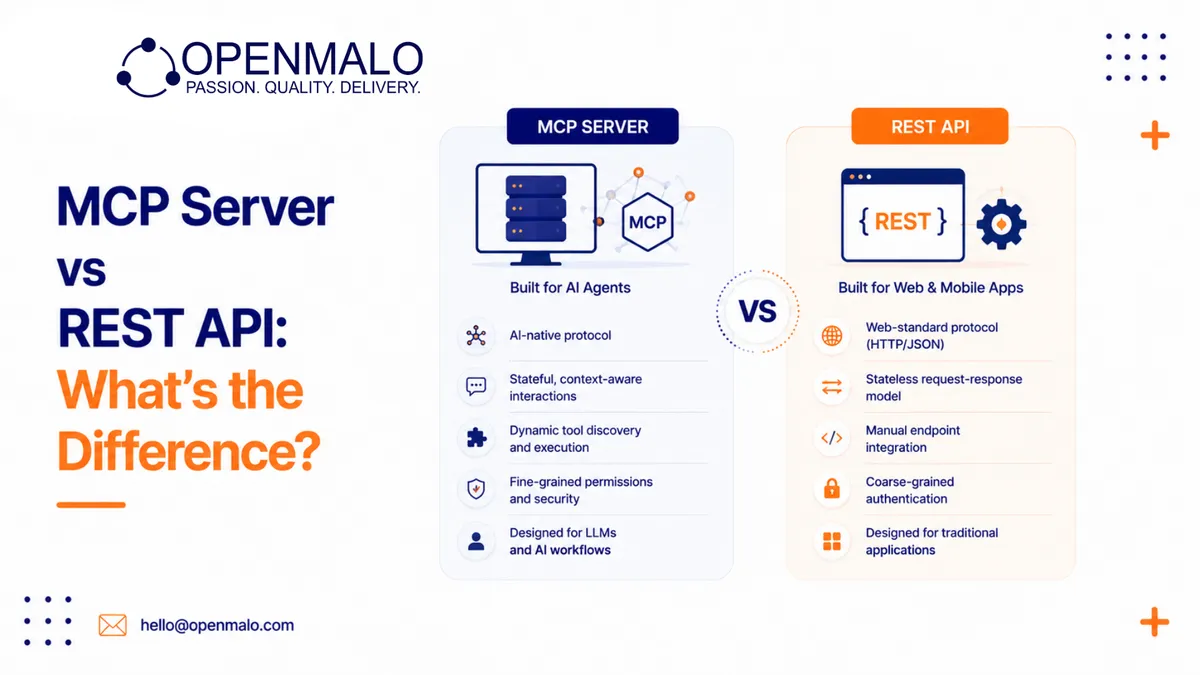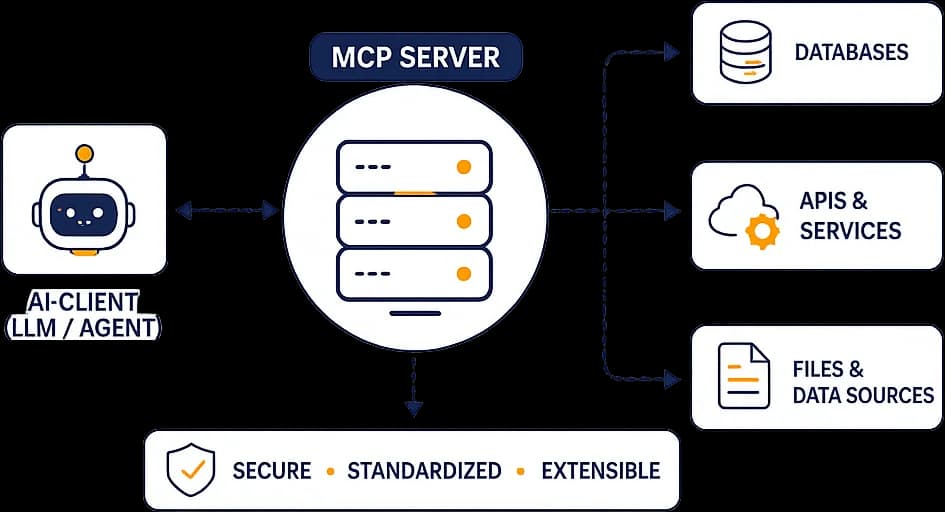
An MCP server is a small program that exposes your tools, data, and actions to an AI assistant through the Model Context Protocol (MCP) — an open standard that lets assistants like Claude and ChatGPT connect to outside systems in a consistent way. Instead of building a one-off integration for every AI tool, you build one MCP server and any MCP-compatible assistant can use it.
What is the Model Context Protocol?
The Model Context Protocol (MCP) is an open standard that defines how an AI assistant talks to external systems. It specifies a common message format and a set of capabilities, so an assistant and a server can agree on what is available and how to use it.
The point of a standard is reuse. Before MCP, every assistant needed custom glue code to reach a database, an API, or a file store. With MCP, that glue is written once on the server side and works across any client that speaks the protocol.
What does an MCP server actually do?
An MCP server sits between an AI assistant and a backend system you already run — a database, an internal API, a ticketing system, a document store. It advertises a list of things it can do, then carries out requests the assistant makes on a user's behalf.
A typical MCP server exposes three kinds of capabilities:
- Tools — actions the assistant can call, such as "create a ticket", "run a SQL query", or "send an email". Tools usually take parameters and return a result.
- Resources — read-only data the assistant can fetch for context, such as a file, a record, or a config value. Resources are about reading; tools are about doing.
- Prompts — reusable prompt templates the server offers, so a team can package a known-good way of asking for something.
The simplest mental model: tools are verbs, resources are nouns, and prompts are saved instructions.
How does an MCP server connect to an assistant?
MCP defines several transports — the channel over which the client and server exchange messages. The common ones are:
- stdio — the server runs as a local process and communicates over standard input/output. This is common for local, single-user setups like a desktop assistant talking to a tool on the same machine.
- HTTP — the server runs as a web service and the assistant connects over HTTP. This suits remote or shared servers.
- SSE (Server-Sent Events) — an HTTP-based transport that lets the server stream messages back to the client, useful for longer-running or streaming responses.
Whatever the transport, the protocol messages are the same. The transport only decides where the server runs and how the bytes move.
Why use an MCP server instead of a direct integration?
You could wire an assistant straight into one system with custom code. An MCP server is worth it when you want that connection to be reusable, governed, and portable across assistants.
- Write once, use anywhere — any MCP-compatible client can use the same server.
- Scoped access — you decide exactly which tools and data the assistant can reach, rather than handing over broad credentials.
- Clear boundaries — the server is the single place where access rules, logging, and validation live.
- Easier to maintain — changes to your backend stay behind the server's interface.
What can an MCP server connect to?
In practice, an MCP server can front almost any system you can call from code: relational databases, internal REST APIs, file storage, CRMs, search indexes, and SaaS tools. The server translates the assistant's request into whatever the underlying system expects and returns a clean result.
That makes MCP servers a natural fit for grounding an assistant in your own data and letting it take real actions inside your stack, instead of only answering from general knowledge.
Is building an MCP server hard?
The protocol itself is approachable, and there are SDKs for common languages. The work that takes care is the surrounding engineering: defining safe tool boundaries, validating inputs, handling authentication, logging actions, and writing tool descriptions clear enough for an assistant to use correctly. A small server can be built quickly; a production-grade one is a real software project.
Want a custom MCP server connecting your tools to AI assistants? See MCP Server Development.